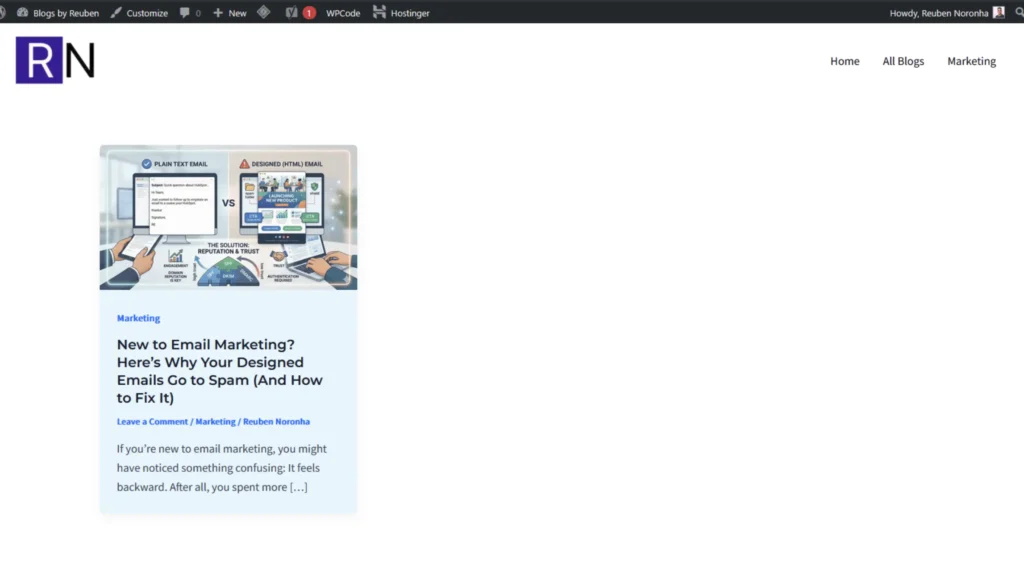

I wrote this post because my own data shows Google is already testing my site for “ai seo workflow”. Here’s how I make that call, step by step.
I handle SEO for my own site and for client sites, and AI is now part of almost every step. But it doesn’t play the same role in every step. So here is the workflow I use today: what the AI does, what I still handle by hand, and the small SEO tracker I built this week to feed it.
The short answer
My SEO workflow has six steps:
- Pull real data from Search Console and Google Analytics.
- Choose one keyword worth a post, or one page worth fixing.
- Build the brief from official sources and my own experience.
- Draft with Claude, then edit by hand. (This is important, since AI can make mistakes and Google doesn’t want a complete AI blog!)
- Publish with the on-page work done, and share it.
- Measure, and let the result choose the next job.
AI does most of the collecting and the first draft. I choose the keyword, check the facts, and press publish. If you remember one thing from this post, let it be this: AI is good at the work between decisions, not at making the decisions.
If you want the bigger picture on how much you can automate, I broke down the stages in AI SEO automation. And the manual version, before any AI, is in my step-by-step SEO process.
Step 1: Start with your own data, not a prompt
Asking an AI tool “what should I write about?” hands you the same generic list everyone else gets. It has no clue what Google is already showing your site for.
Search Console does. So the first job in my workflow is getting that data somewhere the AI and I can both read it. I first did this by connecting GA4 and Search Console to Claude through an MCP server (MCP is a standard way to let an AI tool call another app). That works great for answering questions. It doesn’t handle watching three sites every day, because every new chat starts from scratch.
So I built a tracker.
The SEO tracker I built
It’s a small web app running on a Raspberry Pi at home. I built it with Claude Code, and it covers my site plus two client sites. Every morning it pulls Search Console and Google Analytics data into its own database, so I can compare any period with the one before it, even after the chat is closed.
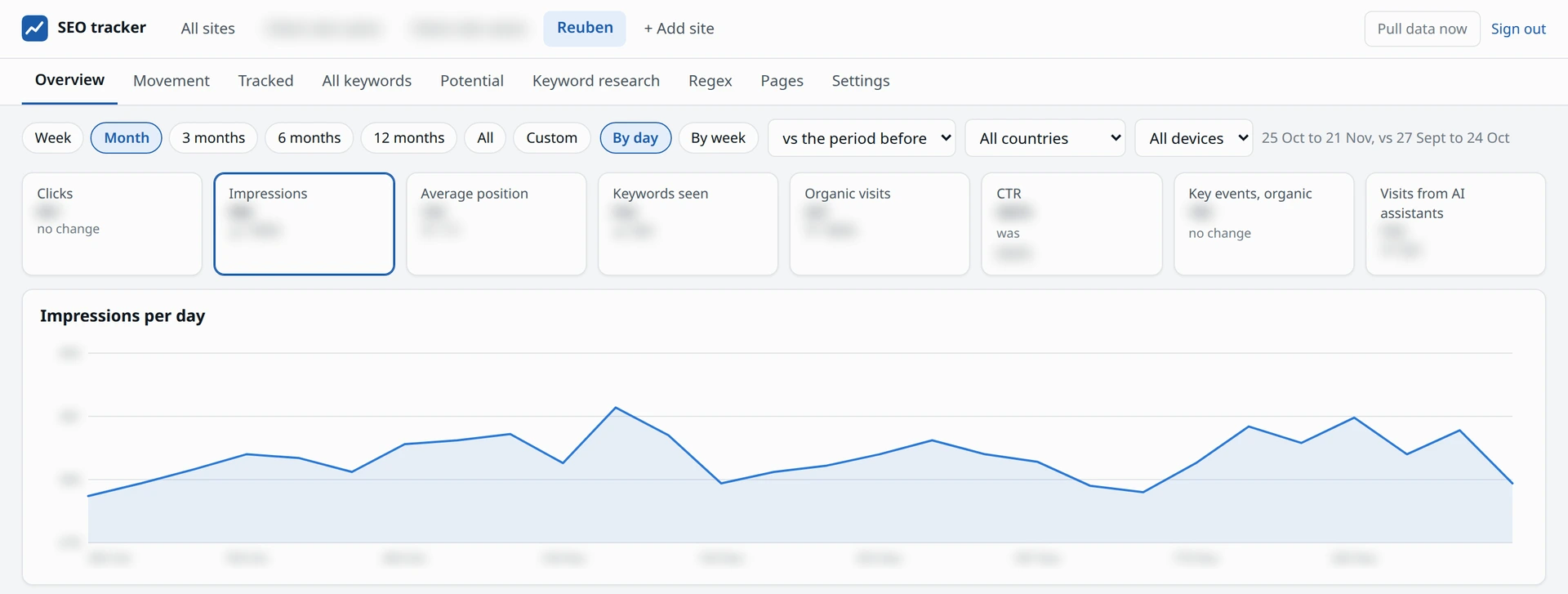
So why not pay for a rank tracker? The paid ones do a good job, but I was looking for three things:
- Control. Client search data stays on my own hardware. The tracker has no public address. It only answers on my own private network.
- The same numbers Google has. It pulls the average position straight from Search Console instead of guessing from results scraped in one location.
- My own rules. I get to decide what counts as an opportunity, and I can change that rule any time I want.
I’ll be upfront about the limits as well. Search Console data shows up a couple of days late. It only knows about searches where my site was shown. And there are no search volumes built in, so I still bring those in from Ubersuggest.
Step 2: Choose the keyword (this one stays with me)
There’s a tab in the tracker called Potential. It sorts every search into a type and tells you what to do with each one:
- Almost there: average position between 4 and 20. Improve the page you already have.
- Deep: Google shows you, but a long way down, which usually means the topic deserves its own section or post.
- Low clicks: you rank well, but not many people click through. Rewrite the title and description, or check whether an AI answer takes the click.
- Rising: impressions have at least doubled against the period before, so move early.
- Pages compete: two of your own pages show for the same search.
- Gap: a keyword from research that you do not show for yet.
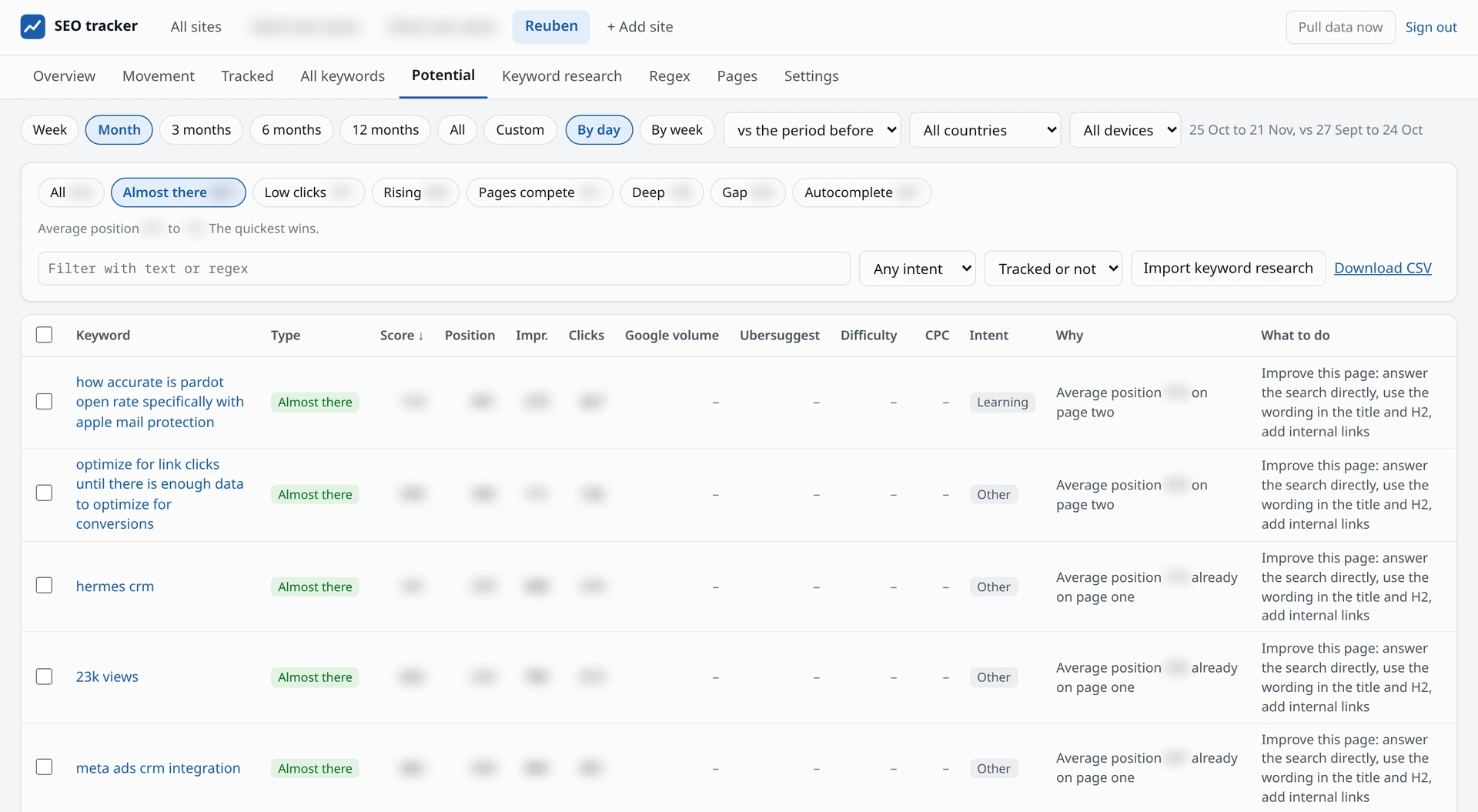
This is where the keyword for this post made sense. When I looked up “ai seo workflow”, Google was already showing my older post on AI SEO automation for it, a long way down. That post is about stages and tools. It doesn’t show anyone’s workflow, so it was never going to be a close match. That’s a “deep” keyword, and it deserved its own post.
“seo workflow” also has about 720 searches a month in Ubersuggest, and a post about a real workflow can serve both. I’d rather take a keyword with proof behind it than chase a huge one I’m guessing at.
The tracker also proved its worth on day one. On one client site it showed blog posts listed in Google under two addresses, with and without the slash at the end, and two posts competing with each other. Neither of those shows up if you only look at rankings.
Step 3: Brief the AI like a new colleague
Most bad AI content starts with a one-line prompt. I keep a folder of plain text files that Claude reads before it writes anything:
- Keywords: the approved list by cluster, plus a “candidates” section it may add to but not promote.
- Style: how I write, what a good opening looks like, and a list of words I never use.
- Experiences: the real projects, numbers and mistakes it is allowed to mention. If a fact is not in there or in a named source, it stays out.
- Research rules: one web search per keyword, official documentation first.
The experiences file is what matters most. Google’s guide to optimising for generative AI features says to create content from what you know about the topic, and warns against recycling “what others on the internet have already said”. An AI tool can’t know what you’ve done. You have to write it down once yourself.
Want this set up to work with your own tools? That is the kind of work I handle under AI tool integration.
Step 4: Draft, humanise and edit
Claude writes the first draft from the brief. Then it goes through an AI humaniser that runs on a local model on my laptop, which rewrites one paragraph at a time so I can compare before and after.
Then I toss out most of its suggestions! It shifts facts, pads things with extra words and flips British spelling to American. I keep the lines that sound better and cut the rest. Think of a humaniser as a second opinion, not the final answer.
The edit is where I put in my hours. It comes down to checking four things:
- Is every number in my notes or in a source I can open?
- Would I say this to a client?
- Does each section tell the reader something they can do today?
- Is there anything in here that only I could have written?
Google is clear on this one. Its guidance on generative AI content says “it is critical to manually factcheck and review all AI-generated content” before publishing, and that includes titles, meta descriptions and image alt text. Generating many pages without adding value can fall under its scaled content abuse policy. So using AI is fine. The risk comes from publishing without giving it a proper look.
One thing I learned when automating this part. In my n8n SEO workflow for blog drafts (n8n is an automation tool you can host yourself), the AI Agent node kept timing out because my local model was slow. Switching to a plain HTTP request node with a longer timeout fixed it. The pipeline saves each post as a WordPress draft, and nothing goes live without my approval.
Step 5: Publish, link and share
Every idea and draft lives on a Nextcloud Deck board, so I can tell what is a rough idea, what is being written and what is live. Before anything gets posted, I check:
- The primary keyword is in the title, the first paragraph and one heading, written naturally.
- The slug is short and the meta description says what the reader gets.
- Links go to related posts and to the right service page.
- Images have alt text and no private data on them. (The screenshots here were blurred by a script that replaces every digit first, so nothing can be recovered from the blur.)
Then it gets shared and syndicated. That’s the slow, boring part, but it’s also the part that pays off over time. For a UK app development agency I built a keyword-mapped content plan and ran a regular syndication routine, and over four months that added up to 28 new blog posts and 51 live backlinks. The case study is here. No single post did that on its own. The routine did.
Step 6: Measure, then go back to step 2
A week or two after a post goes live, the Movement tab is where I look. It shows which keywords moved up, moved down or held steady, and how many sit in the top 3, the top 10 and the top 20 for each day.
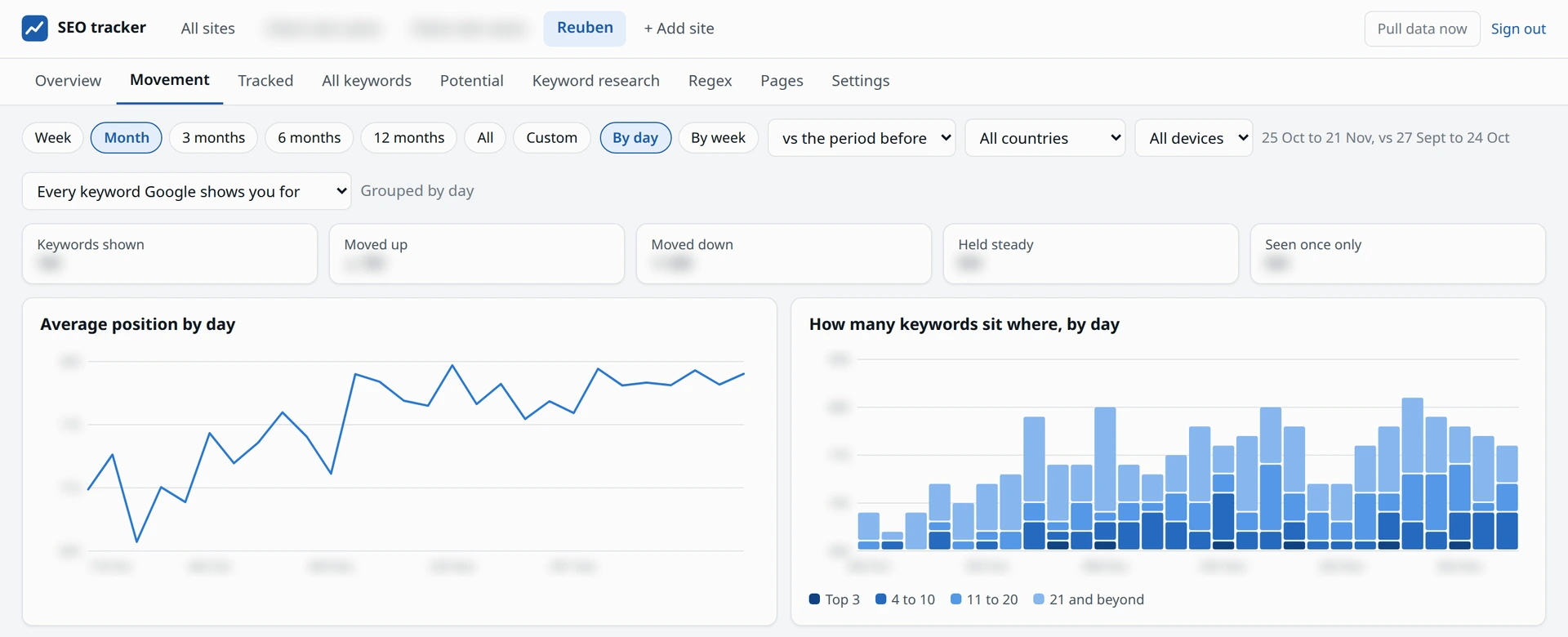
Three rules keep me honest here:
- Small numbers stay small. If a keyword only had a few impressions, moving up 20 spots doesn’t mean much yet.
- Split brand from non-brand. People searching your name is not SEO growth.
- Check clicks against position. If the page stays put but clicks keep dropping, an AI answer may be taking the click, and rewriting the page won’t fix that.
On the technical side, I have Claude crawl the site using Ubersuggest and rank the issues, which I wrote up in how to run an AI SEO audit with Claude.
What I would not hand to AI
- Choosing the keyword. It can list things and give them a score, but it doesn’t know which enquiry is worth money to you.
- First-hand claims. If you didn’t do something, don’t say you did.
- The final yes. Every draft in my SEO workflow automation stops and waits for me.
- Reading the results. AI is too eager to explain every little bump on a chart. Most of those bumps don’t need an explanation at all.
So does it work?
It saves me from gathering data, copying stats and staring at a blank screen. I won’t claim a traffic boost, because the tracker is only days old and my site is still small. What I can say is that I now pick topics from evidence rather than gut feeling, and it helped me spot two issues I had missed.
I’ll circle back and update this post once I have enough data to share.
If you’re starting today, you don’t need a tracker. Open Search Console, filter the last 28 days to positions between 4 and 20, and improve the first three pages you see. That’s the entire idea, done by hand.
FAQs
What is an AI SEO workflow?
It’s a repeatable set of SEO steps where AI takes care of collecting, sorting and first drafts, and a person makes the final calls. Mine has six steps: data, keyword, brief, draft, publish and measure.
Can AI run my whole SEO workflow?
Technically most of it, yes. But I’d never let it. Google asks for a manual fact check before AI content is published, and choosing what to work on still takes someone who knows the business.
Do I need paid tools?
Not to begin with. Search Console and Google Analytics are free and hold the data that matters most. I rely on Ubersuggest for search volumes and Claude for analysis and drafts.
Will Google penalise AI content?
Not for being made with AI. Google’s guidance is aimed at publishing many pages that add no value for readers, however they were made.
Need a workflow like this for your own site? I help B2B companies with full-stack marketing and AI and automation. You can talk it through with me on a free 30-minute strategy call.
Reuben Noronha, Growth Marketing Consultant. 10+ years in marketing across the UAE, UK and Indian markets, MBA in Marketing and Finance, ISO 27001 certified. I use the tools named in this post and I sell services around them. This post was drafted with AI from my own notes and reviewed by me.
Published 24 November 2026.