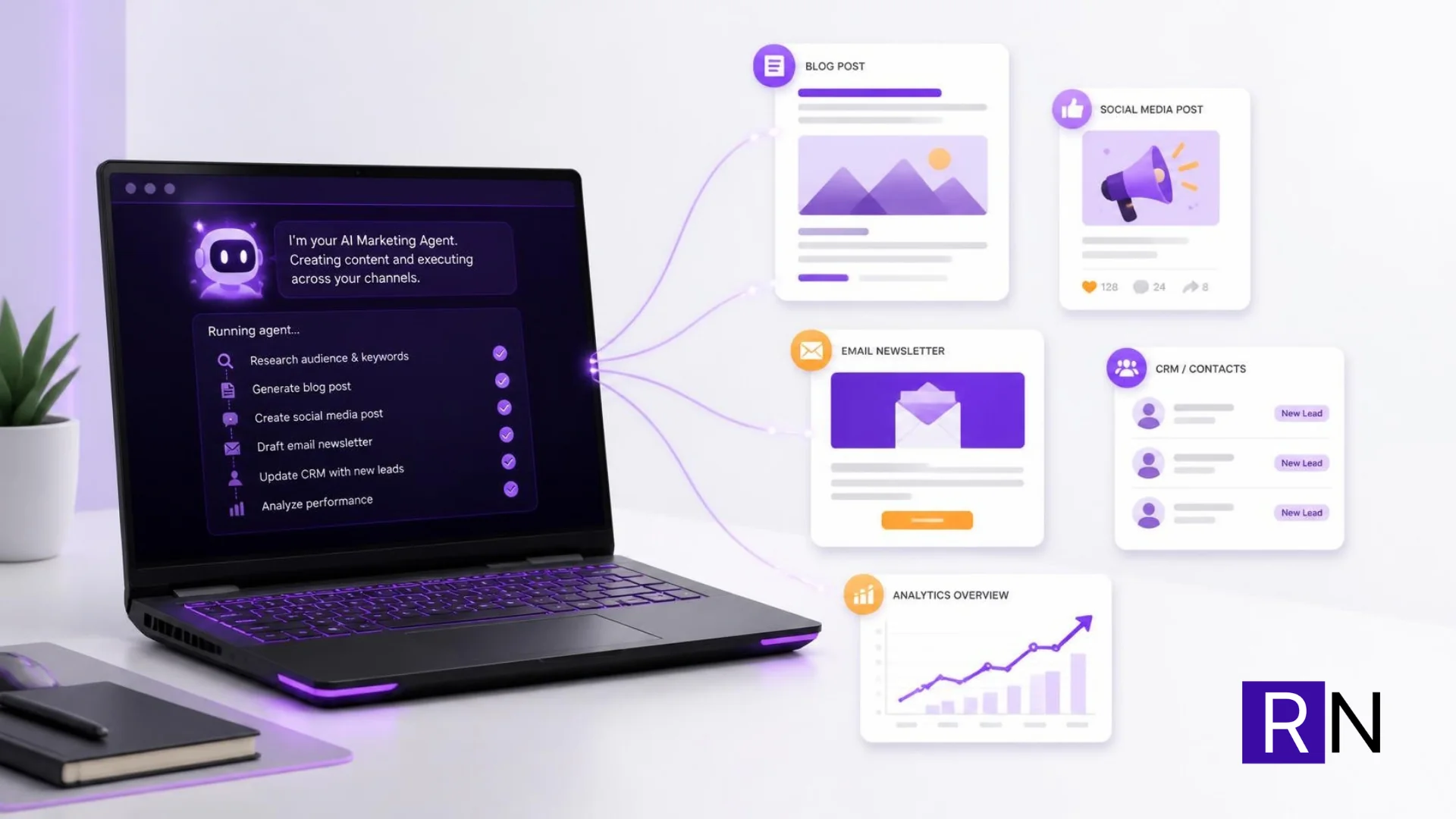
Everyone is talking about agentic AI for marketing, and almost all of that conversation is about cloud tools: Claude Code, ChatGPT, Gemini. I wanted to try something different. What could an AI agent do for my marketing if it ran on hardware I already own, with no usage limits and no per-token bill?
It turns out: quite a lot. This post covers why I started, what I learnt getting it running smoothly, the settings that made the biggest difference, and the first real result: my self-hosted AI agent taking leads from LinkedIn Sales Navigator and putting them straight into my CRM.
Want an AI agent working on your marketing?
If you want help setting up AI agents, CRM automation or a self-hosted AI workflow for your marketing, I am happy to talk it through.
Email me Know more about meWhy I started
I have been using Claude Code for most of my marketing operations. Over the past few months I connected it to almost everything I run: SuiteCRM for leads and campaigns, Nextcloud for content planning, and a handful of other tools, each through a small MCP (Model Context Protocol) server I wrote so Claude could work with them directly.
I learnt a huge amount doing it. I could ask for things like “find these 30 founders, check they aren’t already in the CRM, and add them to a new target list”, and it would just get on with it.
The more I used it, the more I noticed how quickly it went through my Claude usage. Every connected tool adds its instructions and results to the conversation. A CRM lookup that returns hundreds of records, a duplicate check run 40 times, a campaign set up across five record types: all of it goes through the model, and all of it counts.
That got me thinking. A lot of this work is repetitive and rule-based. Could a smaller model, running locally for free, take care of the routine jobs and leave Claude Code for the work that really needs it?
I already had Hermes Agent running at home, so I had a head start. I took everything I had learnt from Claude Code (how to break a job into clear steps, how to write the rules down, which checks matter, such as looking for duplicates before creating anything) and applied it to Hermes with LM Studio.
What agentic AI for marketing looks like day to day
A chatbot answers a question. An agent does a job. You give it a goal and access to tools, and it works out the steps: look something up, call an API, write a record, check the result, and try again if something didn’t work.
In marketing, that opens up a lot of jobs worth handing over:
- Planning what to post next. This is my favourite. An agent can look at what you’ve already published, what’s working and what your audience cares about, then suggest fresh ideas for the next post, video or article. It’s like having a creative partner who never runs out of ideas.
- Creating the content. Drafting blog posts, social captions and email copy from an outline or a single idea, ready for you to polish.
- Posting and scheduling. Getting the content out on your channels at the right time, without you copying and pasting between apps.
- Turning prospect lists into clean CRM records.
- Researching a company before an outreach email goes out.
- Following up: checking who opened an email and deciding who gets the next message.
The routine jobs save time. The creative ones are where it gets really fun. The best part for me is having an agent that helps me plan and think creatively about what to post next, so I spend my time on the ideas I’m most excited about instead of staring at a blank page.
The setup: Hermes Agent with LM Studio
The short version of my setup:
- Hermes Agent, the open-source agent from NousResearch, handles the conversations, tool calls and scheduling.
- LM Studio serves the model through an OpenAI-compatible API. I use Qwen 3.5 9B.
- Both run on the same laptop, my ASUS ROG G14. Hermes talks to LM Studio on localhost, so there’s no second machine or network setup to look after.
I used to run Hermes on a Raspberry Pi and connect it to the laptop over Tailscale. Putting everything on the laptop turned out simpler: one machine to manage and nothing in between.
Hermes with LM Studio is a great pairing. LM Studio makes models easy to download and swap, Hermes works with whichever model is on the other end, and nothing costs anything per request. That’s the beauty of a self-hosted AI agent.
The learning curve
Like any new setup, it took some tuning before it really clicked. Here is what I ran into, and what each one taught me.
Consistency. At first, the same instruction could work perfectly one run and wander off the next: a wrong field name here, a skipped step there. Some of that is simply the difference between a 9B model and a frontier model, and clearer instructions help a lot. But most of it, I discovered, came down to how the model was loaded.
Speed. Early on, responses came through at 1 to 3 tokens per second. Qwen models also do a lot of reasoning before they answer, so the agent was spending time thinking that I never saw. This turned out to be the easiest thing to fix.
Heat. My laptop got very hot during long runs and would switch itself off to protect itself. The CPU was reaching 96°C. That was the clue that pointed me to the real cause.
The LM Studio settings that made it fly
All three came down to LM Studio’s saved load settings for the model. Once I changed them, everything fell into place:
- Put the whole model on the GPU. Only 10 of the model’s 32 layers had been running on the graphics card, with the rest on the CPU. Moving all of it to the GPU made it dramatically faster and kept the laptop cool.
- Right-size the context window. It had been set to around 109,000 tokens. The memory for that context (the KV cache) has to live on the GPU too, so a sensible size leaves room for the model itself.
- Run one session at a time. It had been set to four parallel sessions. One is plenty on a laptop and frees up a lot of memory.
| Setting | Before | After |
|---|---|---|
| GPU offload | 10 of 32 layers | All layers |
| Context length | ~109K | 64K |
| Parallel sessions | 4 | 1 |
| Generation speed | 1 to 3 tokens/sec | ~30 tokens/sec |
That’s a tenfold speed-up from three settings. Why 64K for the context? Hermes needs at least 64K to work properly, because its system prompt, tool definitions and memory take up room before your task even starts. On an 8 GB card, 64K fits nicely, with VRAM sitting at about 8.4 of 8.6 GB. Everything runs on the GPU.
A handy tip: when Hermes calls LM Studio and the model isn’t loaded yet, LM Studio loads it using the saved defaults for that model. So set your defaults once, and every automatic load comes up with the right settings.
Tips for running Hermes Agent on your own hardware
If you’d like to try a local AI agent for your marketing, these will get you up and running faster:
- Think VRAM first. With 8 GB, a 9B model at 64K context runs really well. If you’re choosing hardware for this, more VRAM is the upgrade that matters most.
- Keep the whole model on the GPU. That’s where the speed comes from.
- Set the context length to what the agent needs. 64K is the sweet spot for Hermes.
- One session at a time on a laptop. Save parallel sessions for a server.
- Keep an eye on temperatures. A cool machine is a fast machine, and a quick clean of the fans never hurts.
The first real result: AI lead generation from Sales Navigator to SuiteCRM
With everything running smoothly, I gave Hermes a real job, the same one I normally do with Claude Code on prospecting days.
The input was a paste of LinkedIn Sales Navigator search results: names, job titles, companies and locations of founder-led UK businesses I want to reach. The job:
- Read the pasted results and pull out each person and company
- Check each one against SuiteCRM so I don’t create duplicates
- Create the new ones as Leads with the right fields filled in
This is the exact prompt I gave it. Small models do much better when every step and rule is spelled out:
Below is a LinkedIn Sales Navigator paste. Turn it into SuiteCRM Leads.

1. PARSE: for each person, extract first name, last name, job title and company. Strip emojis, "Ph.D." and similar suffixes, and pronouns from names.
2. FILTER: keep only founders, owners and directors of small UK businesses that are direct clients. DROP marketing, SEO, creative, design and web agencies, consultancies and fractional CMOs (they are competitors). Also drop large companies (>100 staff).
3. DEDUPE: for each person, query SuiteCRM Leads and Contacts with filter[last_name][eq]=<last name>. It is a duplicate ONLY if the last name AND the company both match (treat renames and sub-brands as the same company). Last name alone matching is NOT a duplicate: create the Lead and mention the other record in the description. Do not use "contains" or "starts" filters (they don't work).
4. FIND: get the company website domain (try the obvious domain such as company.co.uk or company.com and check that it loads). Then use Hunter Email-Finder with the domain, first name and last name. Keep the email only if Hunter's score is 70 or higher. Also check that the email isn't already in SuiteCRM. If no site is found, drop the person.
5. SHOW ME a table before creating anything: Name | Title | Company | Website | Email | Status (NEW / DUPLICATE / DROPPED + reason). Wait for my OK.
6. CREATE each NEW person as a Lead with: first_name, last_name, title, account_name, website, email1, status="In Process", lead_source="Self Generated", primary_address_country="United Kingdom", description="<title> at <company>. <one line on what the company does>. Source: LinkedIn Sales Nav <today's date>".
7. Create a Target List named "<YYYY-MM-DD> UK" and link every new Lead to it.
8. REPORT: total pasted, duplicates, dropped, created, emails found, and the Target List name.

Never delete or edit existing records. If unsure about a person, list them under "Needs review" instead of guessing.

LinkedIn data:
<paste here>
And it worked. Hermes created 2 new Leads in SuiteCRM straight from the Sales Navigator text, with names, titles and companies in the right fields. It wasn’t perfect: one of the leads it let through was a marketing agency, which the filter step should have dropped. That’s exactly why the prompt makes it show me a table before it creates anything.
It was a small batch to start with, but it was a big moment. This was where the project went from an interesting experiment to something that genuinely takes work off my plate. A local AI agent on my own laptop did real AI lead generation work in my real CRM, at no cost per run.
It’s also a nice step forward from my CRM enrichment workflow, where Hermes worked on CSV files rather than the live CRM. Now it’s writing Leads directly, starting with a job that’s quick to check and easy to undo.
Hermes and Claude Code: a great team
This isn’t about replacing Claude Code. It’s about giving each tool the work it does best:
| Self-hosted agent (Hermes + LM Studio) | Claude Code |
|---|---|
| Repetitive jobs with clear rules, like turning a list into CRM records | Long, multi-step work across several tools |
| Scheduled background tasks that run while I’m away from my desk | Writing, strategy and anything that needs deep judgement |
| Everyday jobs where I’d rather not spend usage | Big batches, where speed and accuracy pay for themselves |
Used together, I get more done and save my Claude usage for the work that benefits from it most.
Frequently asked questions
What hardware do you need to run Hermes Agent locally?
A laptop or PC with a dedicated GPU is enough to start. I run Hermes Agent and LM Studio on an ASUS ROG G14 with an 8 GB graphics card, and a 9B model at 64K context fits fully on the GPU at around 30 tokens per second. VRAM is the spec that matters most.
What context length does Hermes Agent need?
Hermes needs at least 64K tokens of context. Its system prompt, tool definitions and memory use a good share of that before your task starts, so set 64K as the model’s saved default in LM Studio.
Is a self-hosted AI agent good enough for marketing work?
For repetitive, rule-based jobs, yes. Turning a prospect list into CRM records, checking for duplicates and drafting first versions all work well with clear step-by-step instructions. Keep a human check before anything is created or sent, and use a frontier model like Claude for strategy and complex multi-tool work.
What’s next
I’m excited about where this goes. Next up: scaling the Sales Navigator to CRM run to bigger batches, tightening the agency filter, and getting Hermes to handle the follow-up side, from target lists to email campaigns. I’d also love to have it help plan and draft social posts from my content boards. And I want to test the larger Qwen model I’ve downloaded to see how much extra quality it brings on the same 8 GB card.
If you’re curious about agentic AI for marketing, start small and local. Pick one repeatable job, get your settings right, and build from there. Within a few weeks you’ll have an assistant that saves you time on the routine work and helps you think creatively about what’s next.