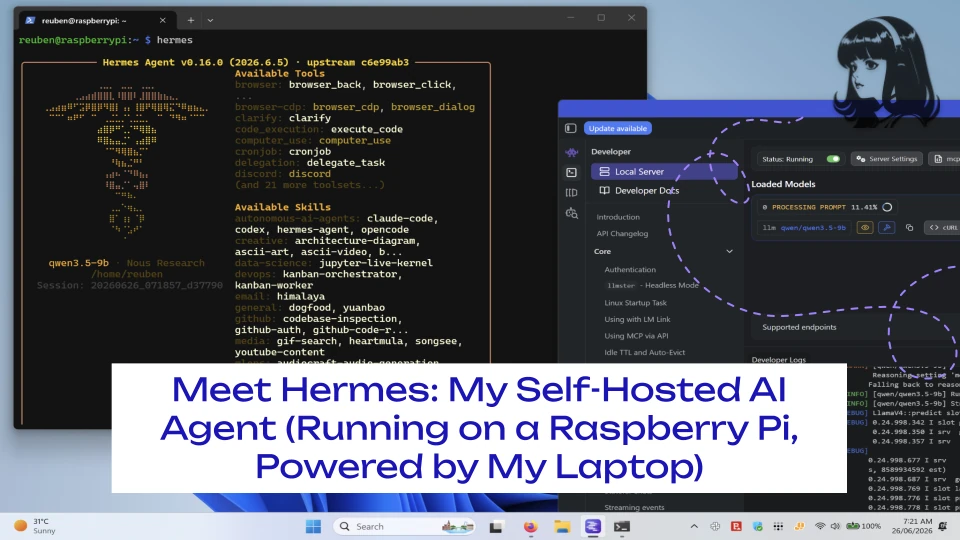
For a while now, I’ve been building out a homelab with a Raspberry Pi 5, a few Docker containers, Tailscale tying it all together, and a genuine itch to see how far I could push “self-hosted AI” before I had to reach for a cloud API key. The latest piece of that puzzle is Hermes, an open-source AI agent from NousResearch, and I wanted to write up how I’ve actually started using it day to day, not just the install notes, but what it’s like living with it.
The setup: brains on the laptop, body on the Pi
Here’s the basic shape of it:
- Hermes runs in Docker on my Raspberry Pi 5, managed through Portainer. This is the “agent” layer it handles conversations, tool calls, and orchestration.
- LM Studio, running on my ASUS ROG G14 (with its AMD RX 6700S doing the heavy lifting), is the actual inference engine. It serves an OpenAI-compatible endpoint that Hermes talks to.
- Tailscale connects the two over my own private network, so the Pi can reach the laptop’s LM Studio server no matter where either device physically is.
In other words, the Pi is the always-on front door, and my laptop is the brain it borrows power from whenever it’s awake. Hermes isn’t running its own model — it’s pointed at whatever I’ve got loaded in LM Studio, currently a Qwen model that’s plenty capable for day-to-day agent work.
Why Hermes, and not OpenClaw?
I’d actually originally set out to run OpenClaw for this. It was the agent I had in mind when I started looking at self-hosted options. But once I started poking around with Hermes, how quickly it got up and running in Docker via Portainer, how cleanly it talked to LM Studio with basically no fuss, and how sane the defaults were, it became pretty clear Hermes was just the easier, more practical path for what I actually wanted. So I dropped the OpenClaw plan and went all in on Hermes instead.
Why bother when ChatGPT exists?
Honestly, control and curiosity. I wanted:
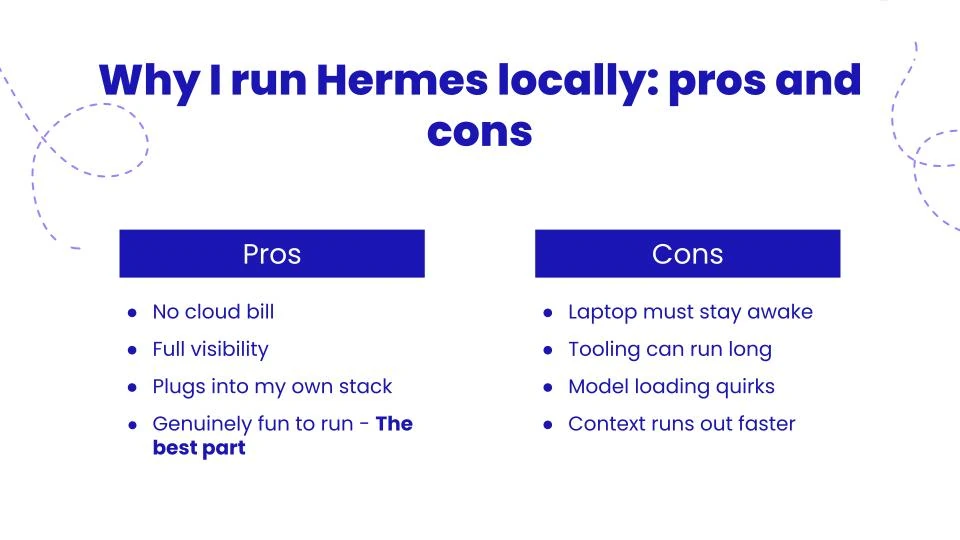
- No per-token cloud bill for routine automation and chat.
- Full visibility into what’s actually happening when an “agent” goes and does something, searches the web, calls a tool, or hits an API.
- A sandbox to plug into my own stack n8n, SuiteCRM, SearXNG, without worrying about a third party’s rate limits or data policies.
It’s also just a genuinely fun system to operate. There’s something satisfying about watching a model running on hardware sitting on your desk go off and complete a multi-step task.
What it’s actually doing for me right now
A few real, working pieces:
- Web search and page extraction. Hermes has built-in web search/extract tooling, and I’ve paired it with a self-hosted SearXNG instance, so it can go look things up without touching a commercial search API.
- A Telegram front end. I’ve wired Hermes up so I can talk to it from my phone via Telegram, handy for quick questions or kicking off a task when I’m away from my desk.
- Gave it access to its own email ID. I setup it’s own email ID on my own domain, by which I can request reports and send larger text as if I were emailing an assistant at my office.
- The beginnings of CRM-aware automation. The long-term goal is to have Hermes pull contact data from SuiteCRM, help decide who’s due a follow-up, and draft outreach bridged through n8n, which I already run for other automations in the homelab.
The rough edges (because there are always rough edges)
Self-hosting AI is not “set it and forget it,” and I think that’s worth being honest about:
- The laptop has to be awake. Since LM Studio runs on my ROG G14 and not the Pi itself, if the laptop sleeps or LM Studio isn’t running, Hermes simply has no brain to talk to. I’ve had a few “why isn’t this responding” moments that turned out to be exactly that.
- Tooling can run long. Web extraction tasks in particular can hang on slower iterations, which meant tuning gateway timeout settings rather than letting Hermes assume something had failed.
- Model loading quirks. LM Studio occasionally double-loads a model into memory if you’re not careful, which, on a laptop GPU, is a fast way to burn through VRAM for no reason.
- Running out of context, faster than I’d like. Since I’m limited by what my laptop’s GPU can comfortably handle, I can only load the model with a lower context window than I’d get from a cloud-hosted model. That means longer agent runs or anything involving big web pages and documents can chew through the available context surprisingly quickly. Hermes will start losing track of earlier parts of a conversation or task well before a cloud-based equivalent would.
None of these is a dealbreaker; they’re just the kind of thing you only learn by actually running the system, not by reading the docs.
Where this is headed
The next steps I’m working through are deeper SuiteCRM integration (so Hermes can actually reason about real contact and lead data, not just chat) and making the whole thing resilient enough that it doesn’t quietly go dark every time my laptop falls asleep, so there’s always something answering even when the ROG G14 isn’t around.
For now, though, this is a genuinely useful, genuinely mine little corner of AI, no subscription, no vendor lock-in, just a Pi, a laptop, and Tailscale quietly keeping them talking to each other.