Every marketer needs Google Tag Manager, yet almost no one enjoys using it. You open a container, scroll through dozens of tags with names like “GA4 Event – Copy (2)” and try to work out which trigger fires what. Then a client asks for one new conversion event and the afternoon is gone.
So I connected GTM to Claude. I built a Google Tag Manager MCP server, and now I can ask an AI to audit a container, create the tag, trigger and variable for a new event, and prepare a version for me to publish. This post covers why that’s worth doing, what an MCP server is if you haven’t met one yet, and how to set one up without letting an AI loose on your live tracking.
Want Google Tag Manager connected to your AI tools?
I set up GTM, GA4 and MCP servers so your tracking is cleaner and quicker to change. Happy to start with a container audit.
Email me Know more about meWhat is an MCP server?
MCP stands for Model Context Protocol. It’s an open standard, launched by Anthropic, that lets AI assistants work with outside tools in a structured way.
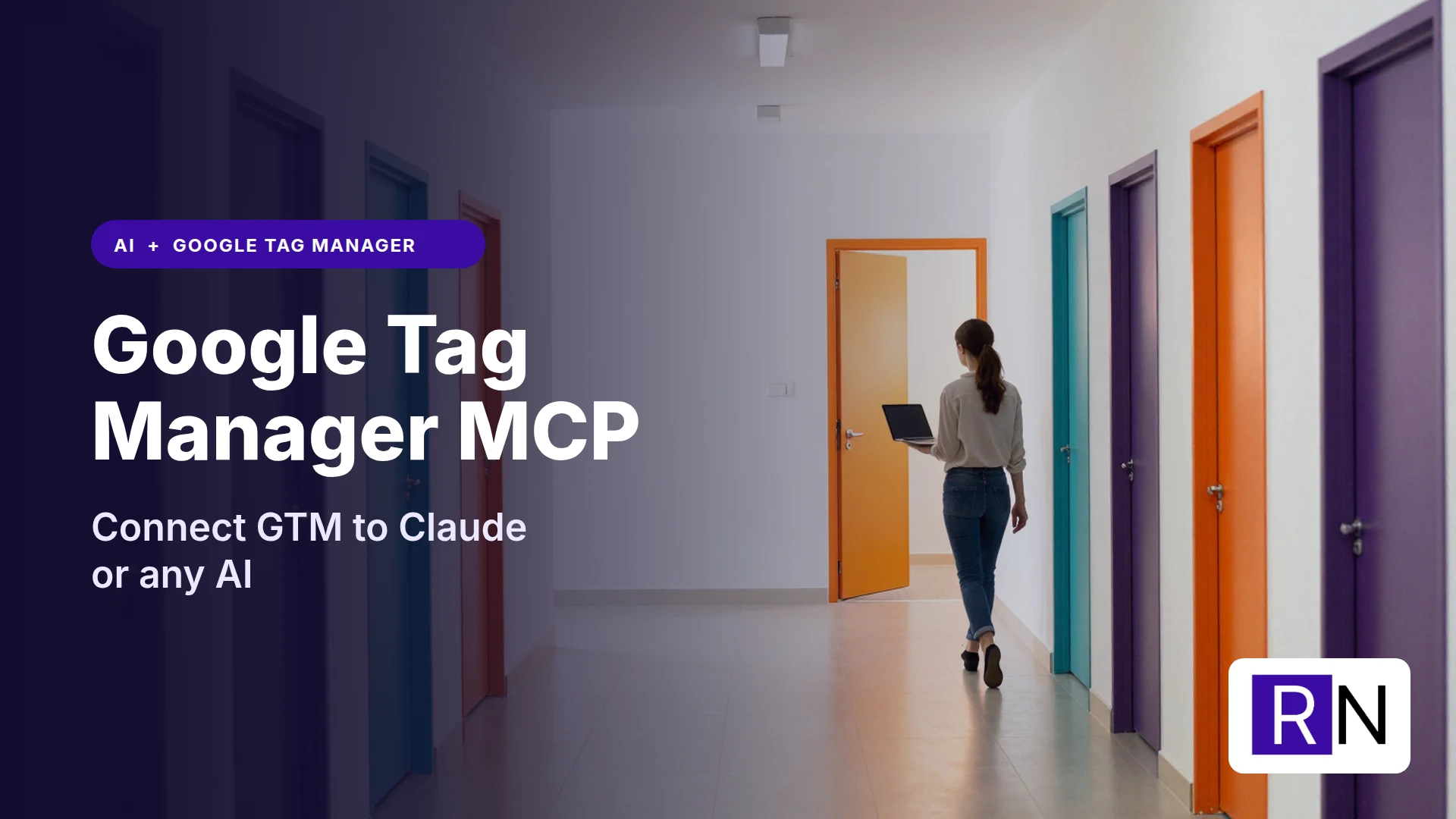
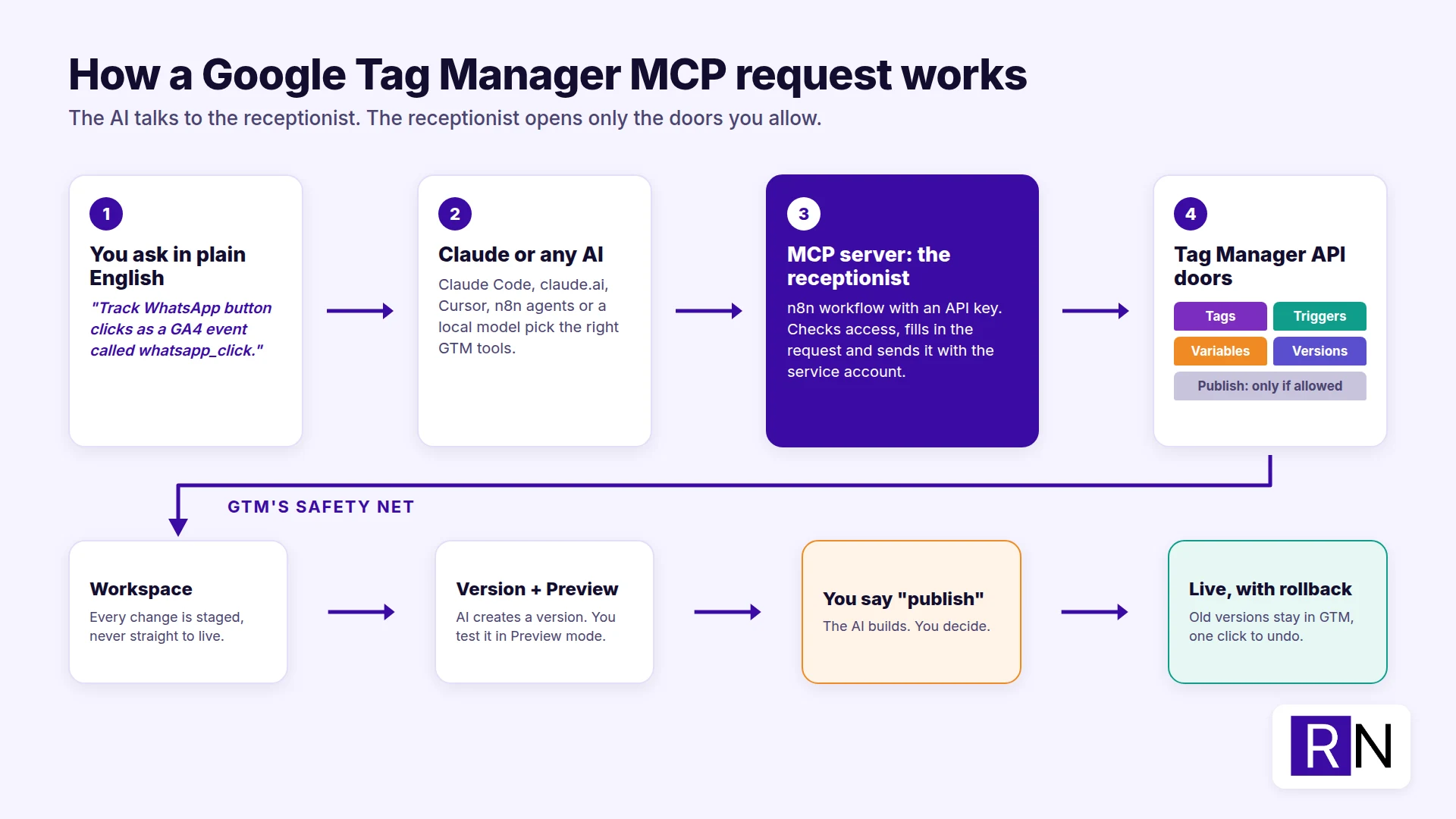
Think of an app as a building with several entrances. Each API is a door: one for tags, another for triggers, another for publishing. The MCP server is the receptionist at the front desk.
Your AI walks in and says what it needs. The receptionist knows which door leads where, checks the AI is allowed through, makes sure it has the right details and comes back with the answer. The AI never has to memorise the building or carry a key to every room. It only ever talks to the receptionist.
That’s also why MCP is safer than handing an AI your login. The receptionist only opens the doors you’ve approved. If you never give it the “publish” door, nothing gets published.
Without MCP, Claude or ChatGPT can only tell you where to click. With an MCP server, the AI makes those changes itself through the receptionist, and you see every request it makes.
A Claude MCP server works across Claude Code, Claude Desktop and claude.ai. The same server also connects to other MCP clients, such as Cursor, VS Code, n8n AI agents and local agents running on open models. That’s the “any AI” part: you build the connection once and you’re not tied to one vendor.
Why connect Google Tag Manager to AI?
Here’s what changed for me once GTM was connected.
1. Container audits take minutes, not hours
Ask the AI to list every tag, trigger and variable in a workspace and flag what looks wrong. It picks up paused tags still sitting in the container, unused triggers, duplicate GA4 configuration tags, Universal Analytics leftovers and naming that makes no sense. Reading the full container JSON is tedious for a person and easy for a model.
2. New events in plain English
“Track clicks on the WhatsApp button as a GA4 event called whatsapp_click, with the page path as a parameter.”
That one sentence becomes a Click trigger, the built-in Click URL variable switched on and a GA4 event tag, all created in a workspace for you to review. You still check the result, but you skip the twenty clicks it takes to build by hand.
3. Fewer mistakes with consistent naming
Tell the AI your naming convention once (“GA4 – Event – name”, “Trigger – Click – name”) and it sticks to it every time. Over a few months, that keeps a container far tidier than manual edits ever do.
4. Documentation for free
Ask for a plain-English summary of what’s live: which events fire, where, and which platforms receive the data. It’s handy when you pass a container to a client or a new team member, and it’s something most of us never get round to writing.
5. GTM joins the rest of your reporting
GTM decides what gets sent. GA4 and Search Console show what happened. I already use a Google Analytics MCP server, so the same chat can check whether a new event is reaching GA4 once the tag is live. Tracking setup and reporting become one workflow instead of two separate jobs.
Why build your own GTM MCP server?
There are community GTM MCP server projects you can install, and some will suit you fine. I built my own for three reasons:
- Control over access. I choose which containers the AI can reach and which actions exist at all.
- One place for all my connectors. My MCP servers run as n8n workflows, so they share logging, credentials and the same API-key protection.
- It works with any client. It’s a standard remote MCP endpoint, so Claude Code, claude.ai and my local agents all connect to the same server.
How my Google Tag Manager MCP server works
It talks to the Google Tag Manager API (v2 docs). In receptionist terms, it knows 16 doors into GTM:
- Connection and discovery: test connection, list accounts, list containers, list workspaces
- Workspaces: create workspace, workspace status (pending changes and conflicts)
- Tags, triggers, variables, folders: list, get, create, update, delete
- Built-in variables: list, enable (e.g. Click Text, Click URL)
- Versions: create version, publish version, get live version
- Escape hatch: raw API request for anything not covered above
The setup in short:
- Google Cloud project. Enable the Tag Manager API.
- Service account. Create one and download its JSON key. Keep that key well away from any chat window.
- Add the service account in GTM. Go to Admin > User Management and add the service account email to the container. Give it the lowest permission that does the job: Read for audits, Edit to build, and Publish only if you want the AI to push changes live.
- Scopes. Read-only access needs
tagmanager.readonly. Building needstagmanager.edit.containers. Versions and publishing needtagmanager.edit.containerversionsandtagmanager.publish. - The MCP server. Mine is an n8n workflow with an MCP Server Trigger. Each tool builds a Tag Manager API request and an HTTP node sends it with the service account credential. If you’d rather write code, you can do the same in Python or TypeScript with the official MCP SDKs.
- Connect your AI. Add the server URL and API key to Claude Code (
claude mcp add), Claude Desktop or any other MCP client. New to Claude Code? I wrote about whether non-developers can use Claude Code.
I had already set up most of this for Google Analytics and Search Console, so adding Google Tag Manager didn’t take long. I used Claude to make the connection, and it was up and running in less than an hour.
Keeping AI away from accidental publishes
This is the part that matters most. GTM changes go live on a real website, so I built the server around GTM’s own safety net.
- Everything happens in a workspace. The AI creates and edits in a workspace and never touches the live container directly.
- Check before you version. The workspace status tool shows every pending change, so I can review the diff before anything moves on.
- Publishing is a separate step. Creating a version and publishing it are two different tools. I ask for the version, check it in GTM Preview mode, and only then say “publish”.
- Limit the blast radius. My service account holds Publish rights on a single container. A client container gets Read or Edit first, not Publish, until I trust the workflow there.
- Rollback is built in. Every published version stays in GTM, so a bad change is one click away from being undone.
My rule is simple: the AI does the building, I do the deciding.
Who is this for?
- Marketing consultants and agencies managing several client containers who want quick audits and consistent setups.
- In-house marketers who need new events tracked without waiting on a developer.
- Developers who’d rather describe a tracking spec than click through the GTM interface.
If you only open GTM twice a year, this is probably more setup than you need. If you’re in it every week, it pays for itself quickly.
FAQ
Is there an official Google Tag Manager MCP server?
As I write this, I run my own, built on the public Tag Manager API. You’ll also find community GTM MCP servers. Before plugging any of them into a client account, look closely at what access they ask for.
Can I use a GTM MCP server with ChatGPT or other AI tools?
Yes. MCP is an open standard, so any client that supports remote MCP servers can use it. That includes Claude, Cursor and VS Code, as well as n8n AI agents and plenty of local agent tools.
Is it safe to let AI edit Google Tag Manager?
It’s as safe as the permissions you give it. Use a dedicated service account with the lowest role that works, keep every edit in a workspace and only publish after you’ve checked the changes in Preview mode.
Do I need to know how to code?
Not much. With n8n you can build the server visually, and the only real hurdles are the Google Cloud service account and the GTM user permissions. If you’d rather skip those steps, I’m happy to set it up for you.
Want GTM connected to your AI tools?
I set up Google Tag Manager, GA4 and AI connections like this for businesses that want cleaner tracking and less manual work. If you’d like a container audit or your own Google Tag Manager MCP server, just drop me an email.